Use case · Solar installer
Every lead to a quote, every install to the invoice
Olivia runs Sunbeam Solar with two branches, Hamburg and Berlin, and a team of five. Leads come in every day, quotes go out every week, installations run for weeks. With two First Apps workflows every customer gets the same reliable path, and everyone sees what is due today in their own branch.
Schneider family, 10 kWp
Hamburg · Max Becker
- Day 1Enquiry
- Day 5Site visitToday
- Day 7Quote
- Day 10Contract
- Day 24Install
- Day 26Invoice
- Site visit to quote
- 5 steps
- Installation project
- 6 steps
- forgotten
- 0
The problem
Leads go cold between the first call and the site visit.
Quotes go out and nobody follows up.
Material, installers and customer dates have to line up.
After the handover the final invoice is forgotten for weeks.
The two workflows
"Site visit to quote" starts by itself when a new customer is added. When the contract is signed, the installation is added as a job, and "Installation project" starts with it.
Sales & leads
Site visit to quote
From the first call to a quote the customer actually answers.
Day 0First call
Understand what they want; ask for photos and the address.
Day 2Remote check
Satellite view, photos or plans: is it feasible, roughly how big?
Day 5Site visit
Measure on site, check the details, answer questions face to face.
Day 7Send the quote
Clear options and price; mention financing or subsidies.
Day 12Follow up on the quote
Call to answer questions and ask for a decision.
Onboarding & delivery
Installation project
From signed contract to handover and paid invoice, nothing in between forgotten.
Day 0Contract and deposit
Countersign the contract and send the deposit invoice.
Day 2Order material
Order everything for the job and confirm delivery dates.
Day 7Confirm the date
Agree the installation date with the customer and the team.
Day 14Installation
Install, test and document with photos.
Day 15Handover
Walk the customer through it and hand over the documents.
Day 16Final invoice
Send the final invoice; ask for a review when they're happy.
One customer, step by step
Enquiry on day 1, contract on day 10, installation two weeks later:
Day 1Enquiry
Enquiry from the website. Gina adds the customer; the first call is due today.
Day 5Site visit
Site visit: Max measures the roof and checks the meter cabinet.
Day 7Quote
Quote sent, with the follow-up call already on the calendar.
Day 10Contract
Contract signed. The installation is added as a job: contract, deposit and material ordering start.
Day 24Install
Installation day. Max installs, tests and documents everything with photos.
Day 26Invoice
Handover done, final invoice sent, review requested.
How the team works together
Workflows are only half of it. Here is one week at Sunbeam Solar: who starts what, who picks up which task, and who sees what.
- 1
Olivia Sonnenberg
Owner
Starts a project
The energy fair is in six weeks. Olivia creates the project "Trade fair booth" and starts the "Trade fair prep" workflow. Register, order banners, pack the demo kit: every step appears with its due date, no customer needed.
Projects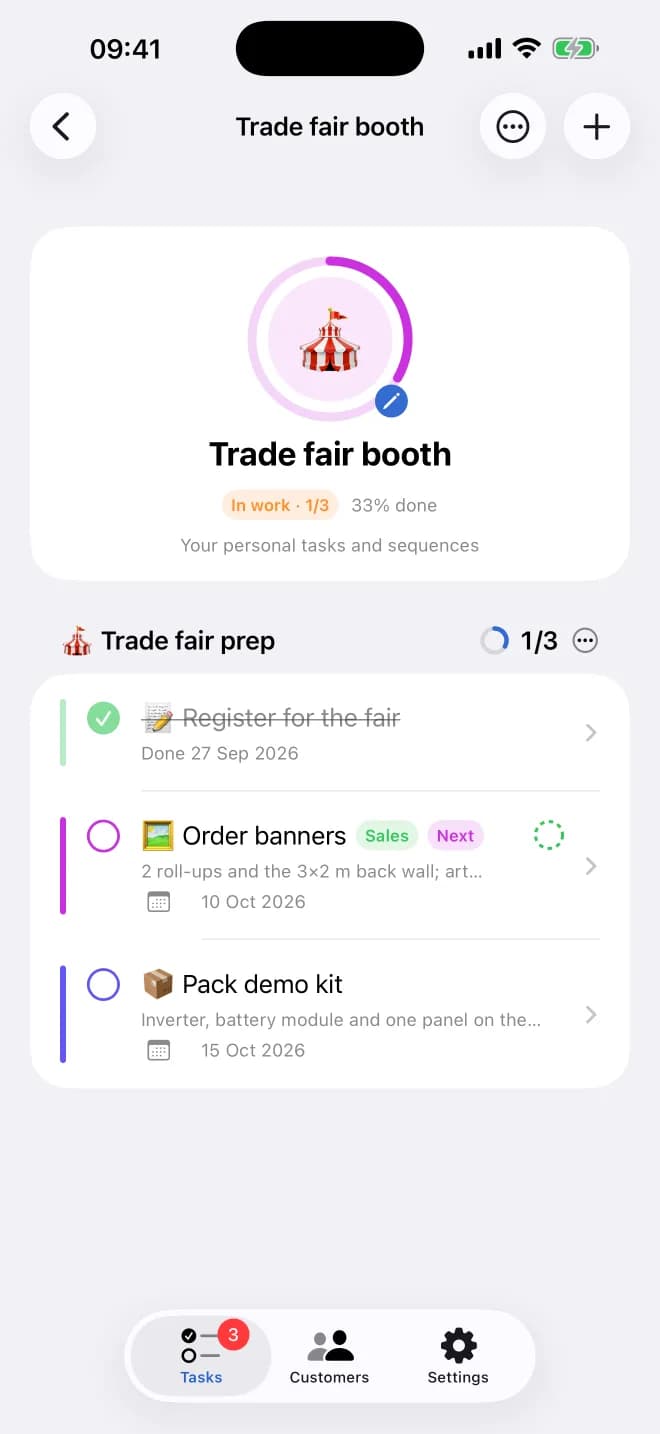
- 2
Olivia Sonnenberg
Owner
Hands a task to a department
She doesn't know who has time for the banners this week, so she gives "Order banners" to the Sales department instead of a person. Everyone in Sales sees it waiting.
Groups (departments)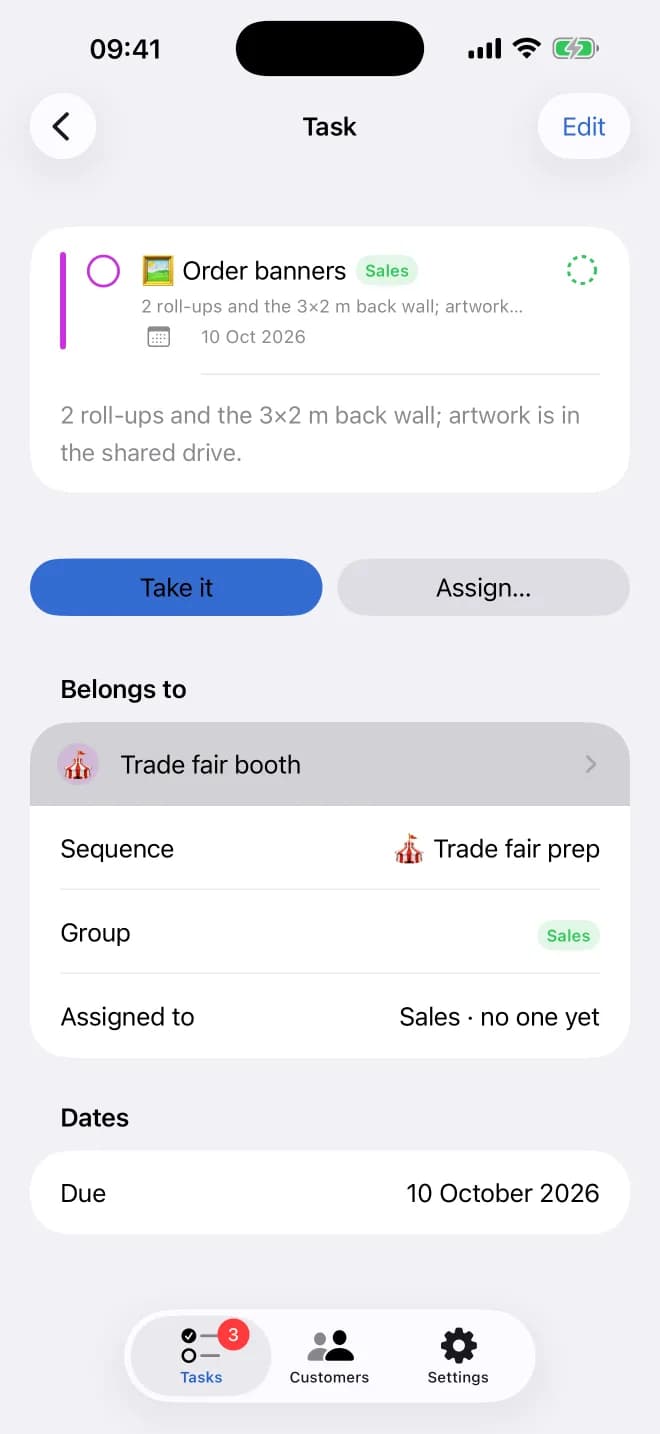
- 3
Gina Hoffmann
Sales
Picks it up
Gina opens "My groups' open tasks", sees the banners waiting and taps "Take it". The task is hers now, and her colleagues see that it's handled.
Take it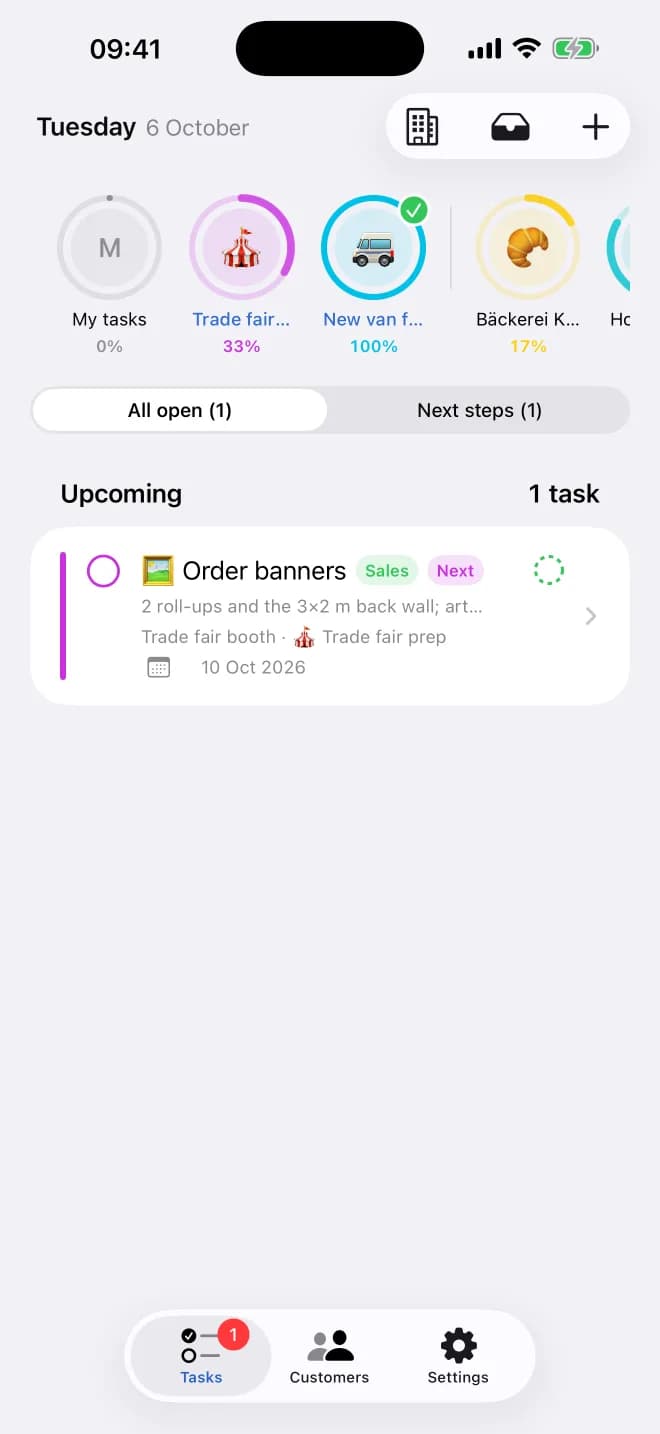
- 4
Bea Wagner
Installer, Berlin
Sees only her branch
A café in Prenzlauer Berg enquires. Bea works in Berlin, so her list shows Berlin's customers and tasks only. The first call is due today, and the landlord approval is overdue: red, at the top.
Branches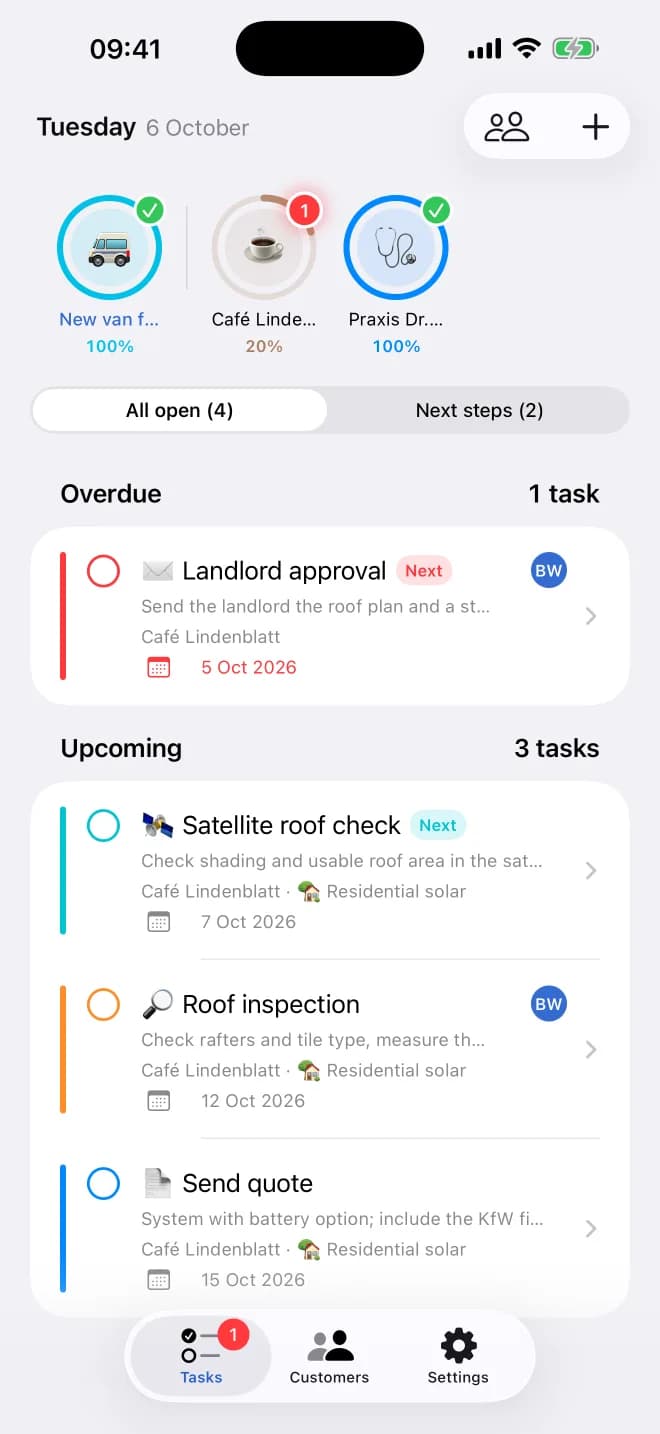
- 5
Alex Fischer
Operations, both branches
Plans the week
Alex switches between Hamburg, Berlin and All branches to line up next week's site visits and installations, and reassigns a roof inspection when Max is booked.
Branch switcher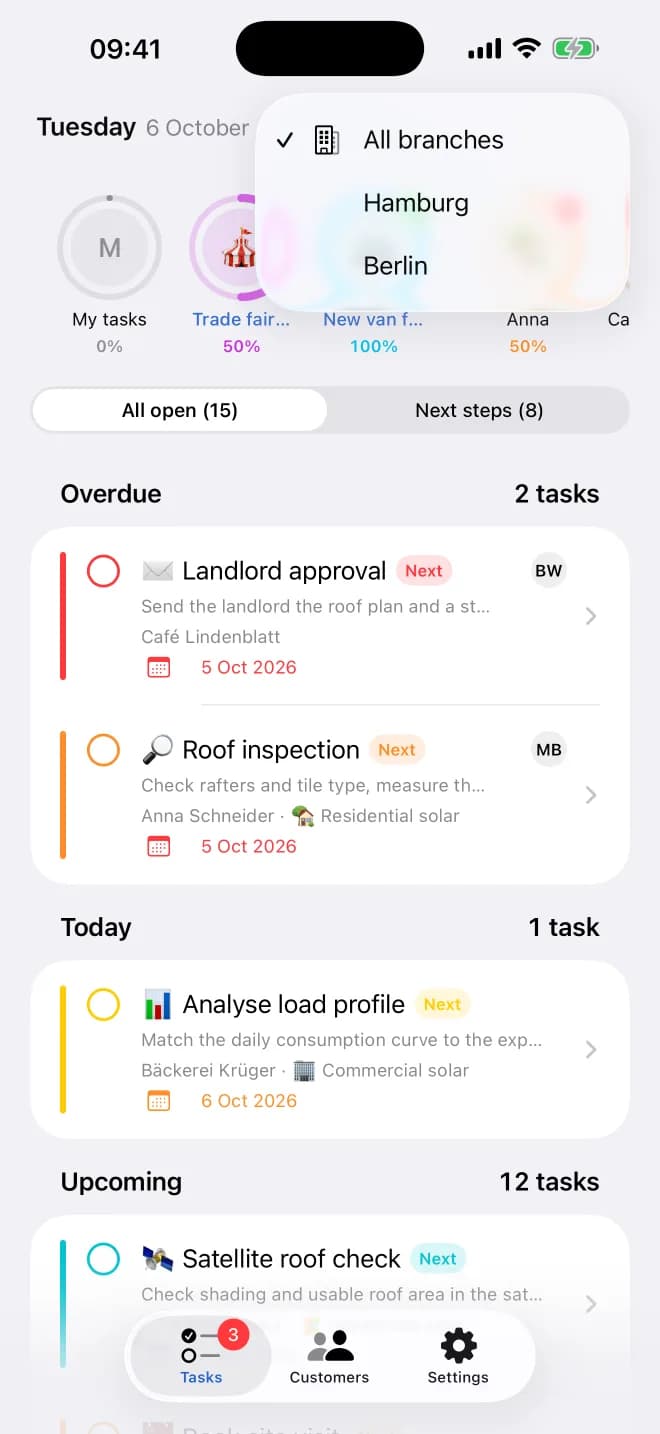
- 6
Max Becker
Installer, Hamburg
Ticks it off on the roof
Max finishes the roof inspection at the Schneiders' and ticks it off on his iPhone. In the office, Olivia sees the customer's ring move forward and the quote become the next step.
iPhone app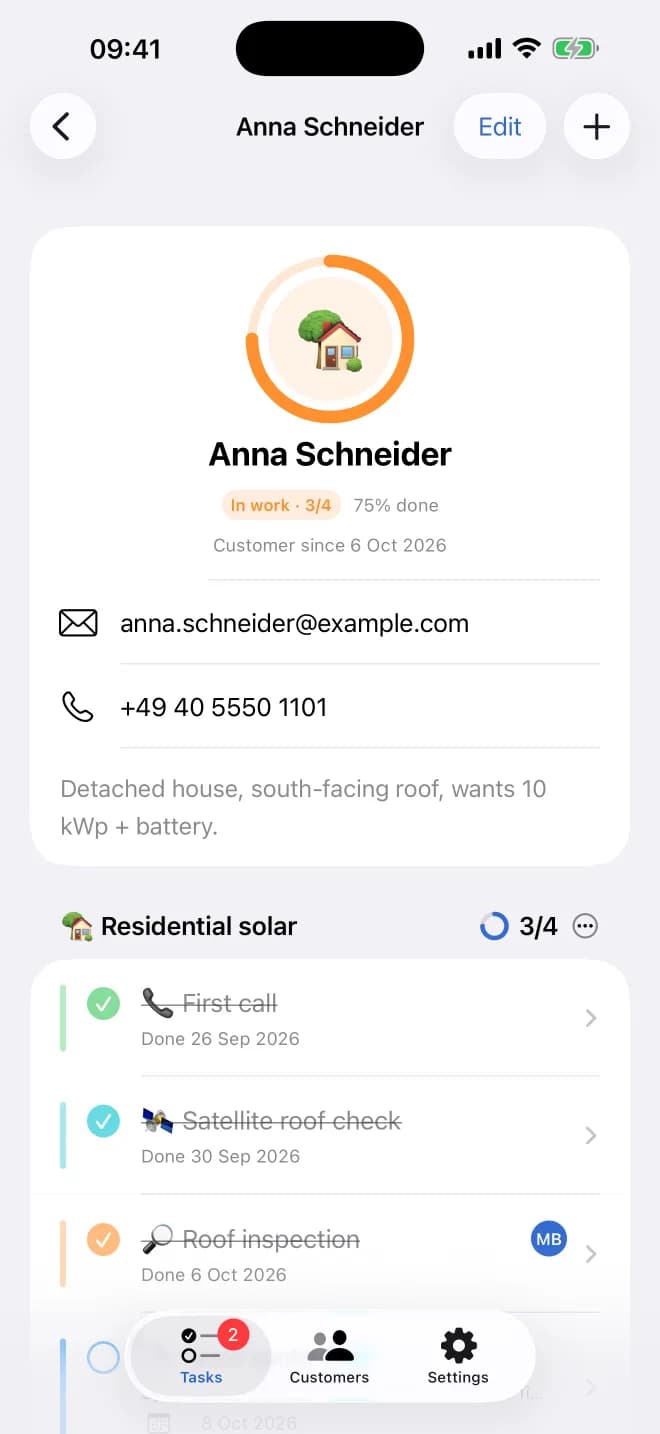
- 7
Olivia Sonnenberg
Owner
Keeps her own to-dos private
"Call the tax advisor" sits in Olivia's My tasks. Nobody else sees it; the team only sees the work they share.
My tasks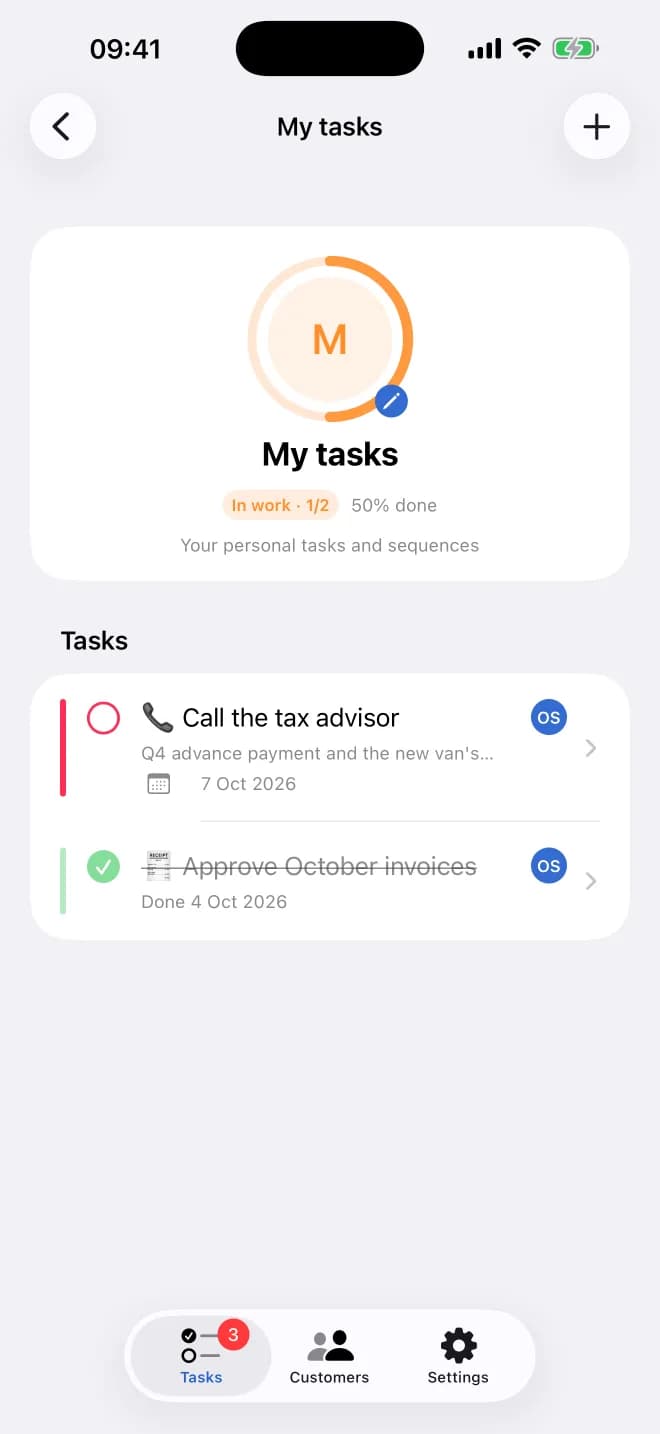
Set it up in five minutes
- 1Add both workflows from this page (Use this workflow) and adjust the steps to your trade.
- 2Add each enquiry as a customer: the first workflow starts on its own.
- 3When a contract is signed, add the installation as a job: the installation project starts with it.
- 4Invite your team and give each person their branch: everyone sees the customers and tasks of their branch.
Tips
- Hand steps to a person or a department, e.g. "Site visit" to the installers, "Send the quote" to sales.
- Use the branch switcher to see one branch or all of them; staff only ever see their own branch.
- Not solar? The same two workflows fit heat pumps, roofing, windows or kitchens: just rename the steps.
Try it with your next enquiry
7 days free. Add the two workflows and your next customer gets the full path, from first call to final invoice.
Start free